Applying for a job can feel stressful. You have the perfect resume, but how do you actually send it? The answer is almost always through an Email Job Application Letter.
Hiring managers receive hundreds of emails every day. If your email looks messy or is hard to read, they will delete it—even if your resume is great.
But don’t worry! Writing a professional Job Application Letter via email is easy if you follow the right steps. In this guide, I will walk you through 10 simple steps to write an email that gets noticed. Plus, I’ll provide a full example you can copy and adapt.
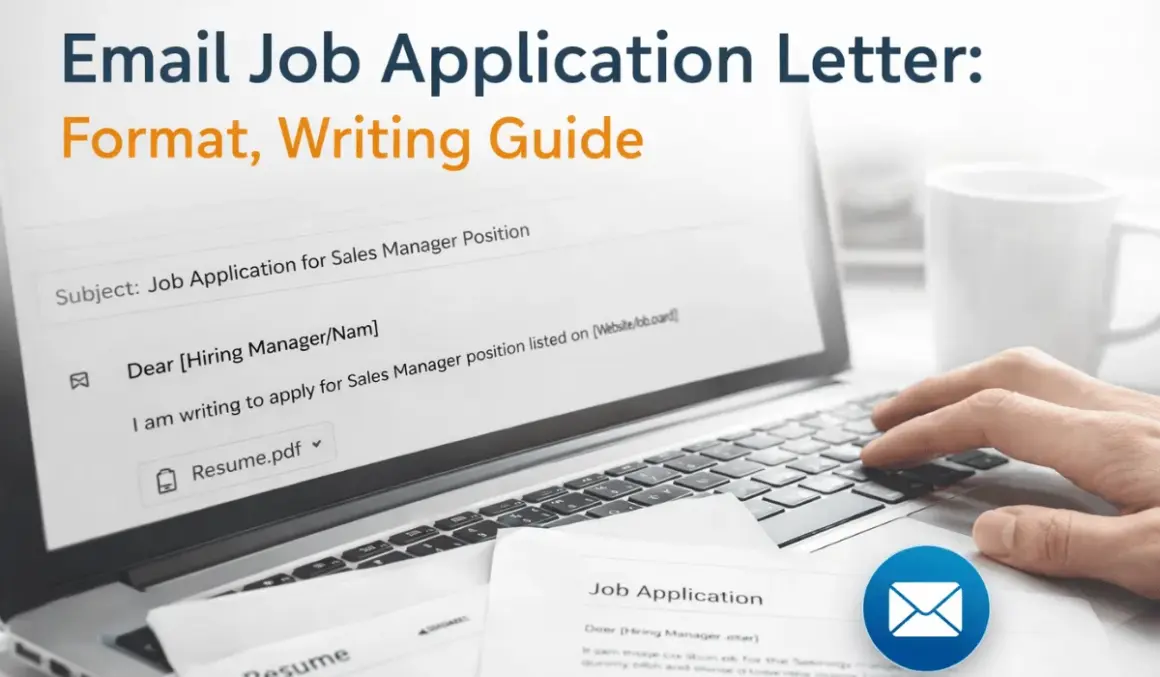
Why Your Email Job Application Letter Matters
Before we get to the steps, let’s understand why this email is so important.
Your email is the “first impression.” It acts as a cover letter. If the subject line is boring or the email is full of typos, the recruiter assumes you are not detail-oriented. A clean, polite, and clear email shows that you are professional and ready to work.
Every job seeker should know how to write a proper application email.
Step 1: Use a Professional Email Address
This is the most basic step, but many people mess it up.
Your email address should be professional. Ideally, it should be your first and last name (e.g., john.smith@gmail.com).
Avoid:
- Nicknames (e.g.,
partyguy123). - Random numbers that mean nothing.
- Old school email addresses.
If your current email address is unprofessional, create a new free account just for job hunting.
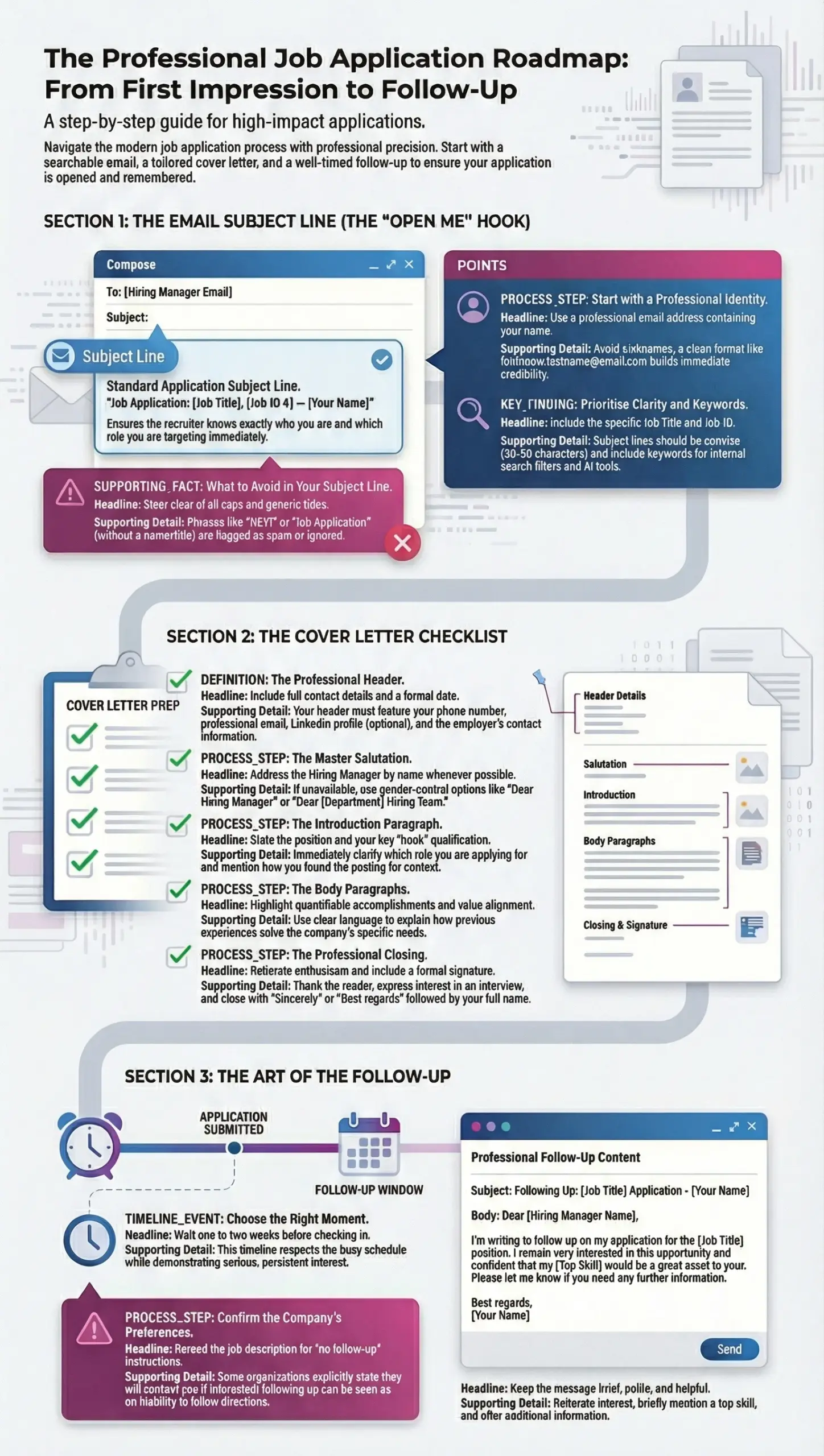
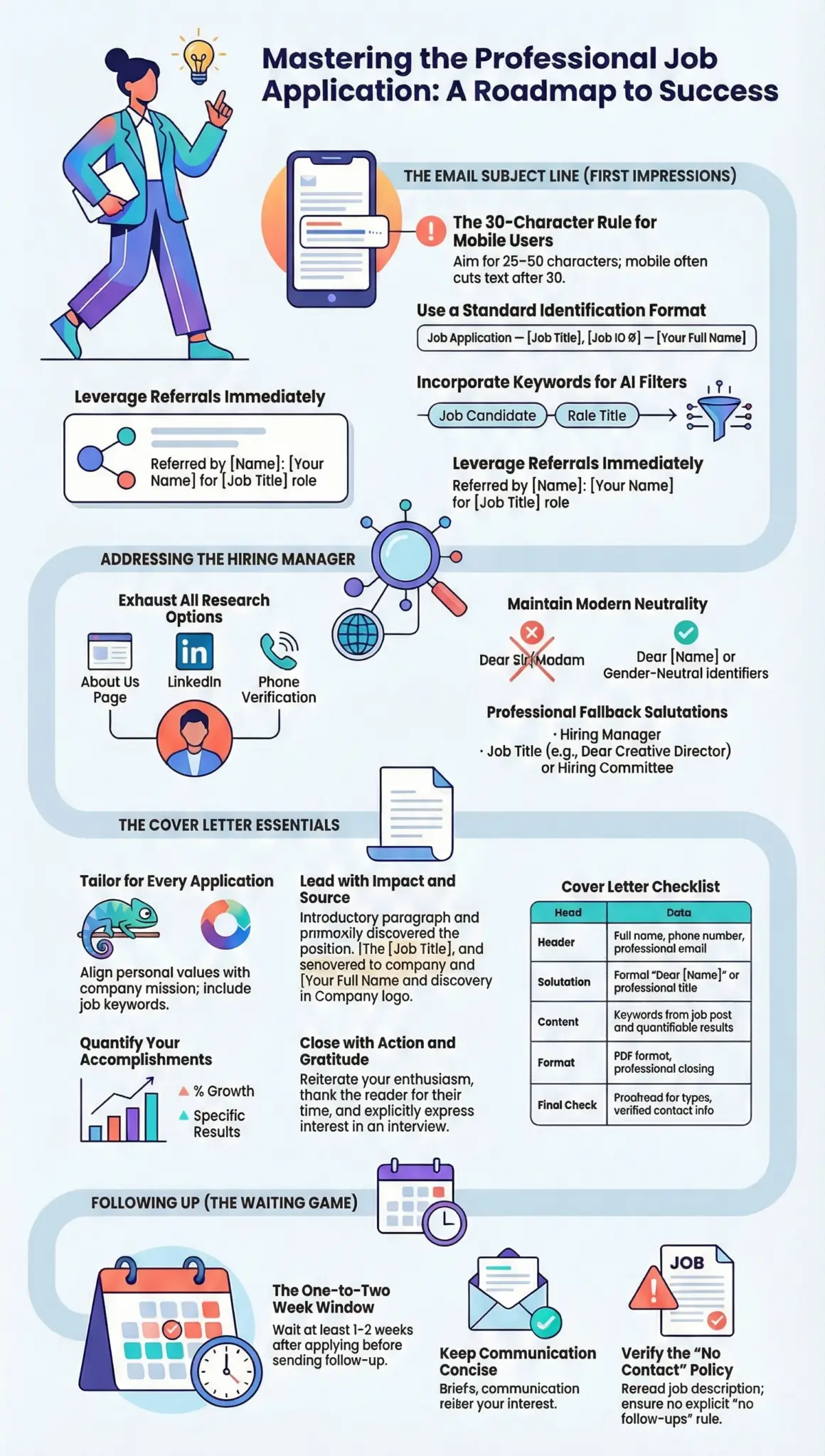
Step 2: Write a Clear Subject Line
The subject line is the first thing the recruiter sees. If it is vague, they might not open it. If it is missing, your email might go to the spam folder.
Keep it simple and accurate.
The Formula:
Job Title – Your Name
Examples:
- Application for Marketing Manager – Sarah Jones
- Graphic Designer Application – Mike Ross
- Re: Administrative Assistant Position – Emily White
Do not just write “Applying for a job.” That tells them nothing.
Step 3: Start with a Formal Greeting
Always start with a “Hello” or “Dear.” Try to find the name of the hiring manager. Look at the job description or the company website.
If you know the name:
- Dear Mr. Smith,
- Dear Dr. Johnson,
- Hello Ms. Lee,
If you do not know the name:
- Dear Hiring Manager,
- Dear [Company Name] Team,
Avoid: “To Whom It May Concern” (it sounds old-fashioned) or “Hey” (too casual).
Step 4: State the Position You Are Applying For
Recruiters often handle multiple job openings at once. In your first sentence, tell them exactly which job you want.
Example:
“I am writing to apply for the Content Writer position, which I saw advertised on LinkedIn.”
If someone referred you, mention their name here. That increases your chances of being read.
“I was excited to learn about the Sales Associate role through Jane Doe, who works in your accounting department.”
Step 5: Summarize Why You Are a Good Fit
The recruiter does not have time to read your life story in the email. They will look at your resume for details. Use 2 to 3 short sentences to explain why you are the right person for the job.
Focus on your top skill and your years of experience.
Example:
“I have over five years of experience in digital marketing. In my last role, I helped increase website traffic by 40% in one year. I believe my skills in SEO and content strategy match the needs of your team perfectly.”
Step 6: Keep it Brief and Scannable
Long paragraphs are hard to read on a computer or phone.
Keep your Email Job Application Letter short. Use short sentences. Leave a blank line between paragraphs (this is called “white space”). It makes the email look clean and easy to scan.
Rule of thumb: Your email should be shorter than your actual resume.
Step 7: Attach Your Documents Correctly
Before you hit send, make sure your files are attached and named properly.
Do NOT name your files: resume.pdf or myfile.docx (Every candidate names their file that. It gets lost easily).
Name your files like this:
John_Smith_Resume.pdfJohn_Smith_Cover_Letter.pdf
Pro Tip: Always send your files as a PDF unless the job posting specifically asks for Word (.docx). PDFs keep your formatting (fonts, spacing) the same on every computer.
Step 8: Write a Polite Closing
After you have explained your skills and attached your files, end the email with a “call to action.” This shows you are eager.
Example:
“My resume is attached for your review. I would welcome the opportunity to discuss how my experience aligns with the needs of your team. Thank you for your time and consideration.”
Step 9: Use a Professional Signature
Do not just let your name hang at the bottom. Create a simple signature. It helps the recruiter know how to contact you easily.
Your signature should include:
- Your full name
- Your phone number
- A link to your LinkedIn profile (optional, but good)
Example:
Best regards,
Sarah Jones
*(555) 123-4567*
linkedin.com/in/sarahjones
Step 10: Proofread and Test
This is the final step—and it is the most important one.
- Read your email out loud. This helps you catch grammar mistakes.
- Check the name. Did you spell the hiring manager’s name correctly?
- Check the attachment. Is the right resume attached? Did you attach the PDF version?
- Send a test email. Send the email to yourself or a friend to see how it looks on a mobile phone. Often, recruiters read emails on their phones. Make sure the formatting is not broken.
Example: Email Job Application Letter
Here is a complete example to show you how all these steps look together.
To: hiring@company.com
Subject: Application for Customer Service Manager – Lisa Green
Dear Hiring Manager,
I am writing to apply for the Customer Service Manager position listed on your company’s careers page. With over seven years of experience in customer support and team leadership, I am confident I can help your team maintain its reputation for excellent service.
In my current role at Tech Solutions Inc., I manage a team of 10 support agents. I introduced a new ticket system that reduced response times by 25%. I am excited about the opportunity to bring this same efficiency and dedication to your organization.
My resume is attached for your review. I would love to schedule a time to speak with you about how my background fits the needs of your team.
Thank you for your time and consideration.
Best regards,
Lisa Green
(555) 987-1234
linkedin.com/in/lisagreen
Attachments: Lisa_Green_Resume.pdf
Common Mistakes to Avoid
Even when following the steps, people make small errors. Here are three to avoid:
- Forgetting the attachment: This is the #1 mistake. If you say “My resume is attached” and it isn’t, you look careless. Double-check!
- Using emojis or slang: Save the 🙂 and “Hey” for your friends. This is a professional setting.
- Writing a wall of text: If the email is one giant paragraph, the reader will skip it. Break it up!
Final Checklist Before You Hit Send
Use this checklist to make sure your Job Application Letter email is perfect:
- Professional email address used.
- Subject line includes the job title and my name.
- Greeting is formal (or uses the manager’s name).
- Mentioned the job I am applying for.
- Briefly explained my top skills (2-3 sentences).
- Attached my resume as a PDF.
- File names are professional (Firstname_Lastname_Resume.pdf).
- Included a polite closing and a signature with my phone number.
- Proofread for spelling errors.
- Tested the link/attachment.
Conclusion
Writing an Email Job Application Letter does not have to be hard. By following these 10 easy steps, you show the employer that you are organized, professional, and serious about the job.
You Must Also Read:
- 9 Best Job Application Email Format Examples
- 30+ Best Job Application Email Samples
- 7 Simple Job Application Emails for Freshers
- 10 Email to Hiring Manager Examples
- 14 Job Application Email Mistakes to Avoid
- 20 Copy-Paste Job Application Email Templates
42. FAQs
Can I Apply With Only an Email Letter
Yes, if the employer requests email applications and attachments are included as required.
Should an Email Job Application Be Short or Long
Short and focused is best. The ideal range is 120 to 200 words.
Is a Cover Letter Needed in the Email Body
Only when instructed. Otherwise, attach as a separate file and keep the email brief.
Can I Reuse Same Job Application Email
You can reuse the structure but must customize the content for each job.
What Font and Format to Use
Default email font
Black text
No colors
No styling
No background themes
Email Job Application Letter Templates
Template for fresher applications
Template for experienced professionals
Template for career change applicants
Template for internship seekers
Email Job Application Letter Format Download
Provide readers with downloadable format versions in:
Word format
PDF format
Plain text copy version