
Access to AI tools like ChatGPT has become a genuine academic resource – not a shortcut, but a research multiplier. Students use it to clarify complex topics, generate practice questions, summarize dense academic papers, and debug code. The problem is that OpenAI enforces hard geo-restrictions, and entire countries are cut off entirely. If you’re in Russia, China, Iran, Belarus, or another restricted region, attempting to load ChatGPT returns a clean error page with no workaround offered.
This article explains the technical mechanisms behind that restriction, which solutions actually work in practice, and how to evaluate proxy infrastructure so you’re not wasting time on unreliable tools. The focus is on students, researchers, and developers who need consistent access – not one-time use.
Why ChatGPT Is Blocked in Your Country
OpenAI’s access restrictions are IP-based. When your browser or API client sends a request to chat.openai.com, OpenAI’s edge infrastructure performs a geolocation lookup against the source IP. If that IP resolves to a sanctioned or unsupported country, the connection is refused before your request reaches any AI model. There is no appeal process – it is purely automated.
This is distinct from DNS blocking or deep packet inspection (used in some countries to block access from the user’s side). In this case, the block is applied at the destination. The service simply refuses to serve requests from specific IP ranges. That distinction matters because it determines which solutions work and which don’t.
A VPN that terminates in a supported country like the US or Germany will technically bypass the block – but many free VPN IPs are flagged by OpenAI due to repeated abuse, datacenter fingerprinting, or inclusion in commercial blocklists. This is why many students find that VPNs work inconsistently: the IP itself may be on a deny list even if the exit country is correct.
Why Standard VPNs Often Fail for AI Tools
OpenAI, along with Anthropic and Google DeepMind’s consumer interfaces, applies secondary filtering on top of geo-restrictions. The system checks for known VPN IP ranges, datacenter ASNs (Autonomous System Numbers), and IP reputation scores from commercial threat intelligence feeds. Free or low-cost VPNs pull from shared datacenter IP pools that appear on these lists by default.
The result: your VPN routes you through a US exit node, the geo-check passes, but the IP score check fails and ChatGPT still blocks you – sometimes silently, by refusing account creation or by throttling responses until you hit a wall. Students in restricted regions often describe this as “it works once, then stops” – which is exactly the behavior pattern of a flagged IP that passed geo-filtering but triggered secondary rate limiting.
The technical fix for this is using dedicated, private IPs with clean reputation scores – specifically, IPs that have not previously appeared in large-scale proxy or VPN deployments. Residential IPs sourced from genuine ISP address pools are especially effective because they carry the same trust signals as a regular home internet connection.
Proxy Architecture That Works for Accessing AI Tools
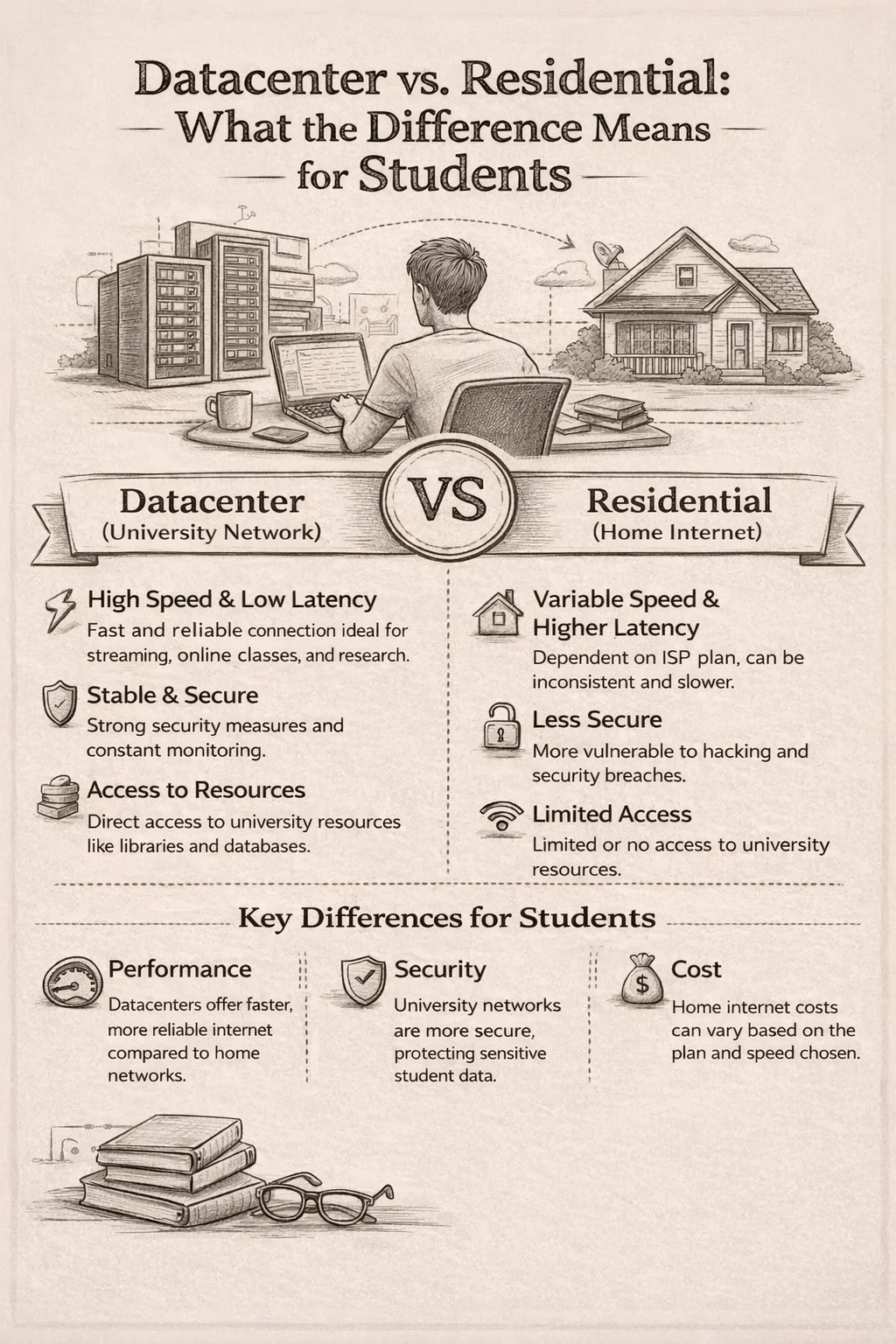
Datacenter vs. Residential: What the Difference Means for Students
Datacenter proxies route traffic through IPs hosted in commercial server infrastructure – fast, cheap, but flagged at a higher rate by AI platforms. Residential proxies use IP addresses assigned by actual ISPs to real households, which means they pass both geo-checks and reputation checks at much higher rates. For studying with ChatGPT, a residential IP from the US, Germany, or UK provides the most reliable access.
The table below maps proxy types to detection risk, performance, and use case fit for AI tool access:
| Proxy Type | Detection Risk | Speed | Best For |
| Datacenter IPv4 | Medium | Very Fast | API calls, ChatGPT access |
| Residential IPv4 | Low | Fast | Browser-based AI tools |
| Mobile Proxy | Very Low | Moderate | High-trust AI platforms |
| Shared IPv4 | High | Variable | Low-priority tasks only |
| IPv6 (Datacenter) | Medium | Fast | API testing, fallback |
For most students, a dedicated datacenter IPv4 from a US or EU location is sufficient and more cost-effective. Residential proxies become necessary only when datacenter ranges are specifically blocked – which does happen with some OpenAI endpoints during high-traffic periods.
Protocol Selection: HTTPS, SOCKS5, and API Routing
ChatGPT’s web interface uses HTTPS exclusively, so an HTTPS proxy with proper SSL passthrough handles browser access correctly. If you are accessing GPT-4 or GPT-3.5-turbo via the OpenAI API for building study tools – automatic flashcard generation, Socratic questioning scripts, or exam prep bots – SOCKS5 is preferable because it operates at a lower level and handles both TCP and UDP without requiring protocol-level termination at the proxy.
SOCKS5 also passes authentication without modifying request headers, which reduces the fingerprinting surface that AI platforms use to detect automated or proxied traffic. For students routing API calls through a proxy in Python or Node.js, configuring the SOCKS5 address in the environment’s proxy settings takes about two minutes and adds zero latency overhead compared to an equivalent HTTPS tunnel.
Practical Setup: Getting ChatGPT Access Through a Proxy
The workflow is straightforward once you have a reliable IP. Configure the proxy at the system or browser level, not through an extension that proxies only specific sites – because OpenAI’s CDN endpoints span multiple subdomains and IP ranges, partial proxying causes inconsistent behavior.
For browser-based access, system-level proxy configuration routes all HTTPS traffic through the proxy, ensuring every OpenAI request originates from the proxy IP. For API access, the configuration depends on your client library. In Python, using the OpenAI package, setting HTTPS_PROXY and HTTP_PROXY environment variables before importing the library routes all API calls through the proxy. In Node.js, the https-proxy-agent package handles this cleanly for fetch-based requests.
The most common failure points are mismatched proxy protocols (using an HTTP proxy for a SOCKS5 endpoint), authentication errors when credentials are not URL-encoded, and SSL certificate errors when the proxy performs its own TLS termination. Confirm that your proxy supports SSL passthrough rather than interception before spending time debugging ChatGPT connectivity issues.
For students and developers who need consistent, low-latency access to AI tools for extended study sessions, using a provider with infrastructure specifically built for this use case makes a measurable difference. Proxys.io offers dedicated IPv4 proxies across the US, UK, Germany, and more than 20 other locations, with individual IP assignment and support for HTTPS, HTTP, and SOCKS – a configuration that directly addresses the main reasons proxy access to ChatGPT fails.
Country-Specific Access Reality Check
Access conditions vary significantly by country. The table below reflects the current state for students in the most commonly affected regions, based on observed behavior with datacenter proxies in EU/US exit locations:
| Country/Region | ChatGPT Access | Claude Access | Proxy Fix Works |
| Russia | Blocked | Blocked | Yes |
| China | Blocked | Blocked | Yes (if stable) |
| Iran | Blocked | Blocked | Yes |
| Belarus | Restricted | Partial | Yes |
| Kazakhstan | Partial | Partial | Yes |
| Ukraine (wartime) | Intermittent | Available | Yes |
In China specifically, a clean residential IP is often necessary rather than just recommended – the Great Firewall’s traffic classification can identify and block datacenter proxy patterns even when the exit IP resolves to a non-blocked country. Students in China should prioritize residential proxies with IP rotation to maintain session stability.
Using ChatGPT Effectively for Academic Work
Once access is stable, the value of ChatGPT for studying depends entirely on how you use it. Paste a dense research paper abstract and ask it to extract the three core claims and the methodology used. Submit a problem set question and ask it to walk through the solution step-by-step while explaining each logical jump. These structured prompts produce far more useful output than vague questions like ‘explain this topic.’
For language learning, having ChatGPT generate short passages in your target language, then asking it to identify and correct your grammar errors in a sample you write, creates a feedback loop that standard textbooks cannot replicate. For STEM subjects, asking it to generate five variations of a practice problem at increasing difficulty levels is a faster review mechanism than searching for problems across scattered websites.
If you want to go deeper on structuring your proxy setup for AI tools and avoiding the most common configuration errors, this guide on setting up a proxy for accessing AI services and neural networks covers protocol configuration, authentication handling, and Python/Node.js integration patterns in detail.
When Your Proxy Access Keeps Breaking: Root Causes
The most reliable indicator that your proxy IP has been flagged is progressive degradation rather than a clean error: ChatGPT loads, but returns shorter responses, then CAPTCHA challenges, then outright refusal. This is rate limiting and trust scoring applied to an IP that triggered detection signals.
Root causes fall into a few categories. Shared IPs are the most common – if multiple users funnel through the same exit IP, cumulative traffic patterns trigger detection faster. IP age matters too: freshly provisioned datacenter IPs have no history, which makes them slightly less trusted than IPs that have been in circulation for months. Finally, connection patterns matter: hammering the API with hundreds of requests in a short window from a single IP is a reliable way to accelerate flagging regardless of IP type.
The practical solution is straightforward: use dedicated IPs that are not shared with other users, prefer providers with diverse IP pools that do not reuse heavily-flagged addresses, and structure your API usage to mimic realistic request cadences. For studying, this is rarely an issue – a student making twenty to fifty API calls per session is well within any reasonable usage threshold.
Choosing a Proxy Provider: What Actually Matters
Most proxy providers advertise the same surface-level features. What differentiates them in practice is the freshness and exclusivity of their IP pools, their network uptime guarantees, and the granularity of location targeting. For ChatGPT access specifically, the critical variables are individual IP assignment (not shared), support for the SOCKS5 protocol, and datacenter or residential options from US/EU/UK endpoints.
Pricing is a reasonable signal of infrastructure quality but not a deterministic one. Residential proxies are inherently more expensive because sourcing legitimate ISP-assigned IPs at scale involves ongoing costs that datacenter IPs don’t – the cheapest residential proxy offerings are often mixed with datacenter IPs misclassified as residential, which defeats the purpose.
For students operating on a limited budget, a single dedicated datacenter IPv4 from the US or Germany – typically available from $1.40 to $3.60 per month depending on the provider tier – is the most cost-efficient starting point. If that IP encounters persistent blocking on OpenAI’s platform, upgrading to a residential IP from the same provider is the logical next step before abandoning the approach entirely.
Conclusion: Access Is a Solved Problem – Stability Is the Real Challenge
Students in restricted regions are not locked out of AI-assisted learning – they face a configuration problem, not a fundamental access barrier. The mechanics of ChatGPT’s geo-restrictions are well understood, and the countermeasures are equally well-understood: clean, dedicated IPs from supported regions routed through HTTPS or SOCKS5 proxies at the system level.
The practical challenge is not bypass itself but stability over repeated sessions. That stability comes from proxy infrastructure quality – specifically, IP pool freshness, individual assignment, and protocol flexibility. Build the foundation correctly and ChatGPT becomes a consistent part of your study toolkit rather than an intermittently accessible novelty.
Students who have solved the access layer consistently report that the productivity gain is substantial – not because AI replaces learning, but because it compresses the time between confusion and understanding. That value is worth the fifteen minutes it takes to configure a working proxy correctly.