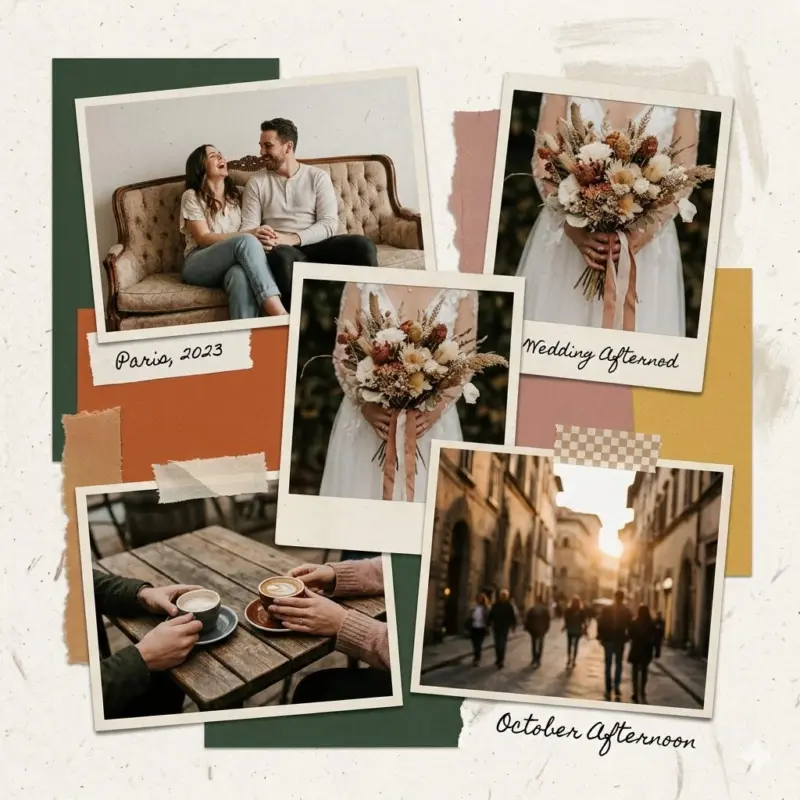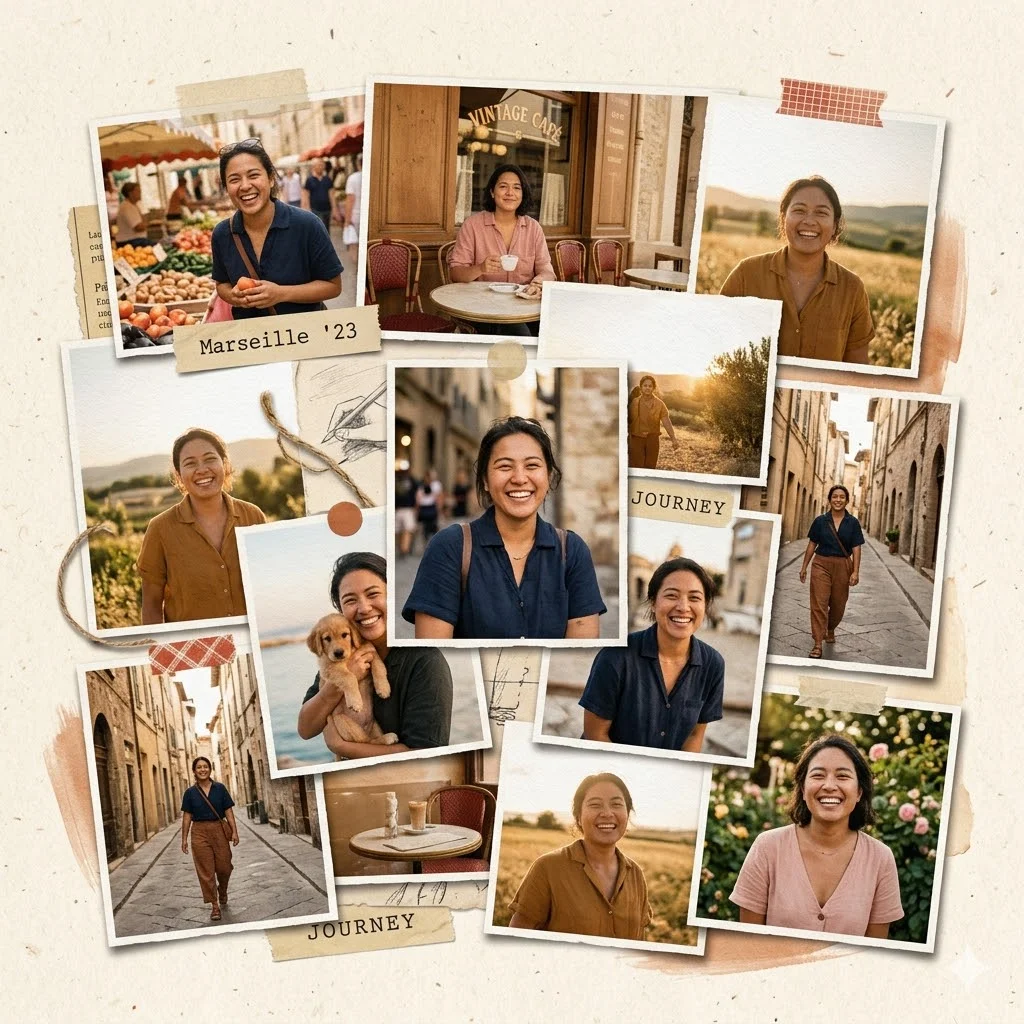
There’s something magical about a collage.
Not the perfectly aligned, overly polished digital kind—but the raw, tactile version. The one that feels like it was created on a messy desk with scissors, glue, and torn magazine pages. Rough edges. Slight misalignment. Layers that don’t try to be perfect.
That’s the charm.
This style goes back to vintage art movements—think 1960s pop-art, retro editorial spreads, and DIY scrapbook culture. It’s expressive, imperfect, and deeply human. And honestly, that’s exactly what modern digital art often lacks.
Collages don’t just show images—they tell stories. Each photo becomes a piece of a bigger narrative. That’s why they stand out so well on platforms like Instagram.
Now here’s the exciting part…
You can recreate that same handcrafted aesthetic using AI.
Tool Recommendation: Why Use Gemini (Pro Model)
If you want high-quality collage results, I strongly recommend using Google Gemini with the Pro model.
Even better? It’s powered by the Nano Banana Pro image model, which is excellent at:
- Handling fine textures like paper grain and fibers
- Creating realistic depth with shadows
- Maintaining consistency across multiple images
Unlike basic AI tools, Gemini doesn’t just “merge photos”—it designs the collage for you with precision and artistic intent.
The Modular Prompt Template (Copy + Customize)
Here’s a powerful base prompt you can reuse again and again:
Create a handcrafted collage using my uploaded photos featuring [MAIN SUBJECT]. Arrange the images in a [LAYOUT STYLE: overlapping / grid / scrapbook / editorial].

Use realistic paper textures including visible paper fibers, subtle grain, and a matte finish. Add slightly torn or rough edges to each photo to enhance the handmade aesthetic.

Build depth using overlapping layers, soft drop shadows, and slight rotation of elements to create a natural composition.

Apply a cohesive [COLOR PALETTE] across the collage to unify the visuals. Maintain consistent lighting and tone across all images.

Include subtle artistic elements such as tape marks, paper scraps, or light brush textures for added realism.

Avoid smooth digital gradients, 3D rendering, glossy effects, overly sharp edges, or hyper-polished finishes.

The final collage should feel organic, tactile, and handcrafted, like a real physical collage assembled by hand. Aspect ratio [1:1 or 4:5].
Why This Prompt Works (The Secret Sauce)
Let’s break down why this template gives such great results:
1. Texture Instructions = Realism
When you mention paper fibers, grain, and matte finish, Gemini stops generating flat images and starts simulating physical materials.
This is the difference between:
- ❌ “digital collage.”
- ✅ “real-world handmade collage.”
2. Depth = Visual Interest
Words like:
- overlapping layers
- drop shadows
- slight rotation
Tell the AI to create a dimension, not just a layout.
This makes your collage feel alive instead of flat.
3. Negative Constraints = Control
This is the most underrated part.
By saying:
- “Avoid glossy effects.”
- “avoid 3D rendering”
- “avoid gradients”
you prevent the AI from going into its default polished style.
And that’s exactly how you preserve the raw, artistic vibe.
10 Powerful Example Prompts You Can Try
1. Travel Story Collage
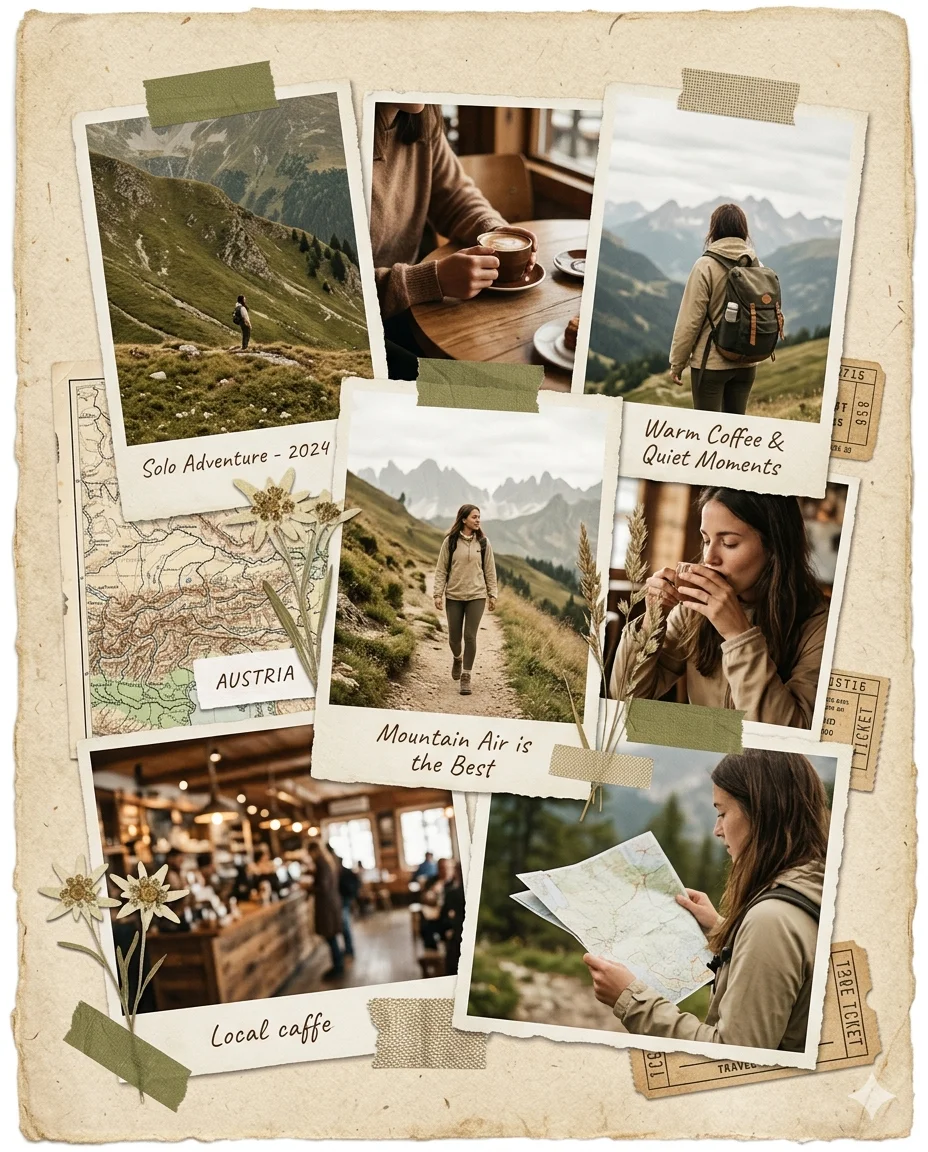
Create a handcrafted collage using my uploaded travel photos featuring a solo traveler exploring mountains and cafes. Arrange the images in an overlapping scrapbook layout.

Use soft earthy tones like beige, olive green, and warm brown. Include paper textures with visible grain and slightly torn edges.

Add depth with layered photos, subtle shadows, and slight tilts. Include small map fragments and handwritten notes.

Avoid glossy effects or digital gradients. Keep it natural and nostalgic. Aspect ratio 4:5.
Read Also: How to Turn Your Photos into Beautiful Collages Using Gemini
2. Fashion Editorial Collage
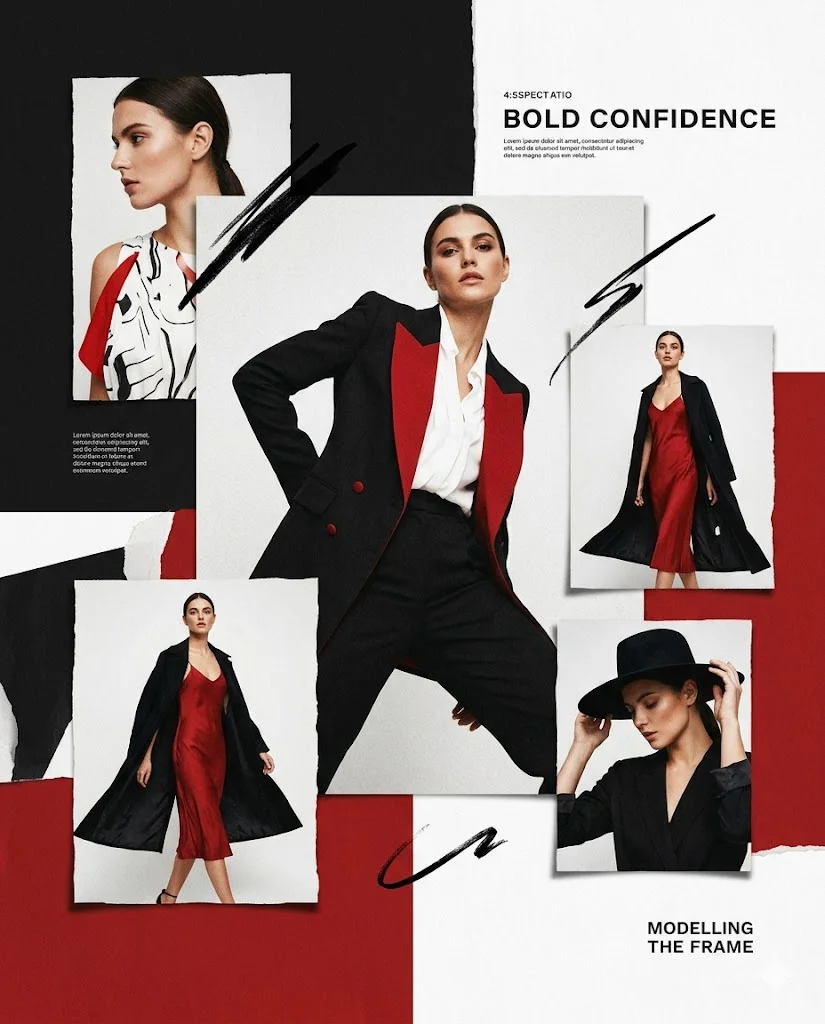
Create a modern editorial collage using my uploaded fashion portraits featuring a confident model. Use an asymmetrical layout with one large hero image and smaller overlapping images.

Apply a bold color palette of black, white, and red. Use paper textures, matte finish, and subtle grain.

Add soft shadows and layered depth. Include minimal brush strokes.

Avoid polished digital effects or 3D rendering. Keep it artistic and magazine-style. Aspect ratio 4:5.
3. Friendship Memory Collage
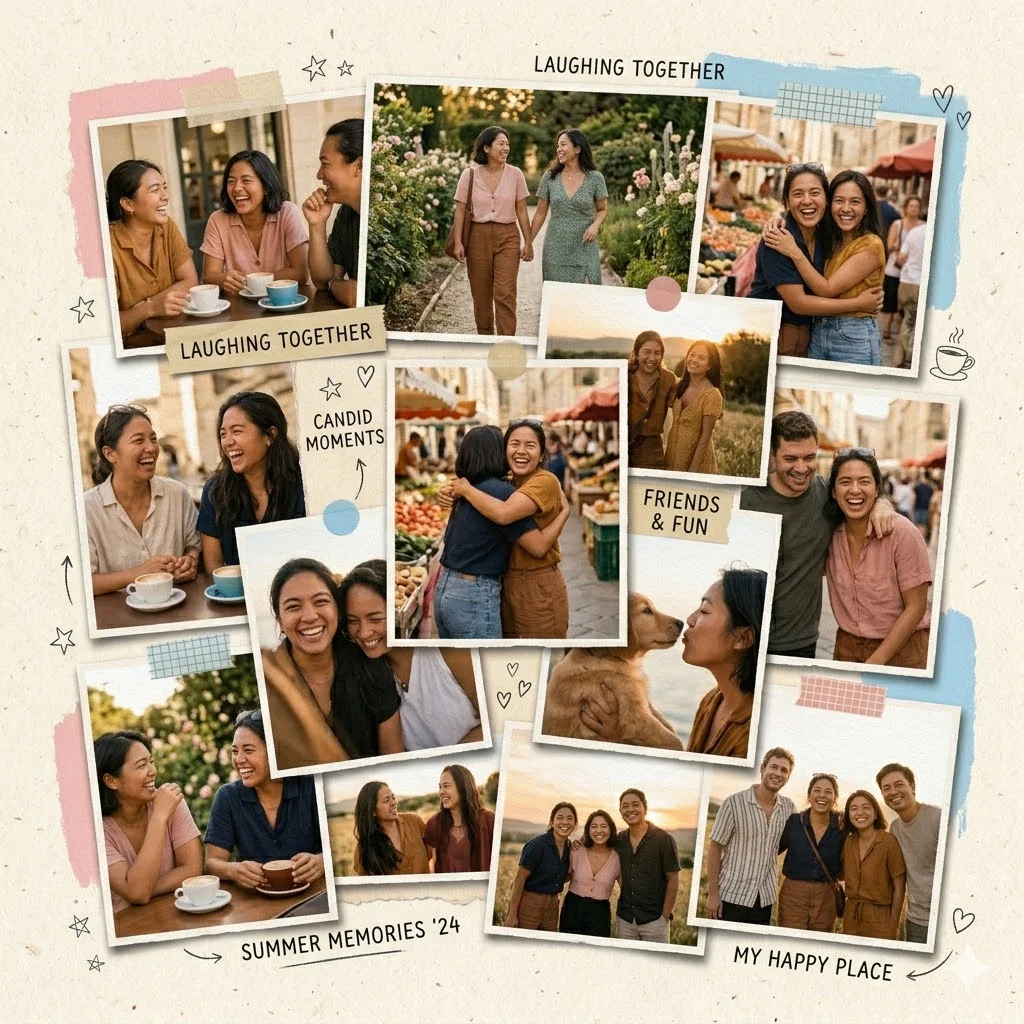
Create a scrapbook-style collage using my uploaded photos featuring friends laughing and candid moments. Arrange in a casual, scattered layout.

Use pastel colors like soft pink, sky blue, and cream. Include torn edges, tape effects, and handwritten-style elements.

Add depth with overlapping layers and soft shadows. Include subtle doodles.

Avoid clean digital finishes or sharp symmetry. Keep it playful and emotional. Aspect ratio 1:1.
4. Cinematic Film Strip Story
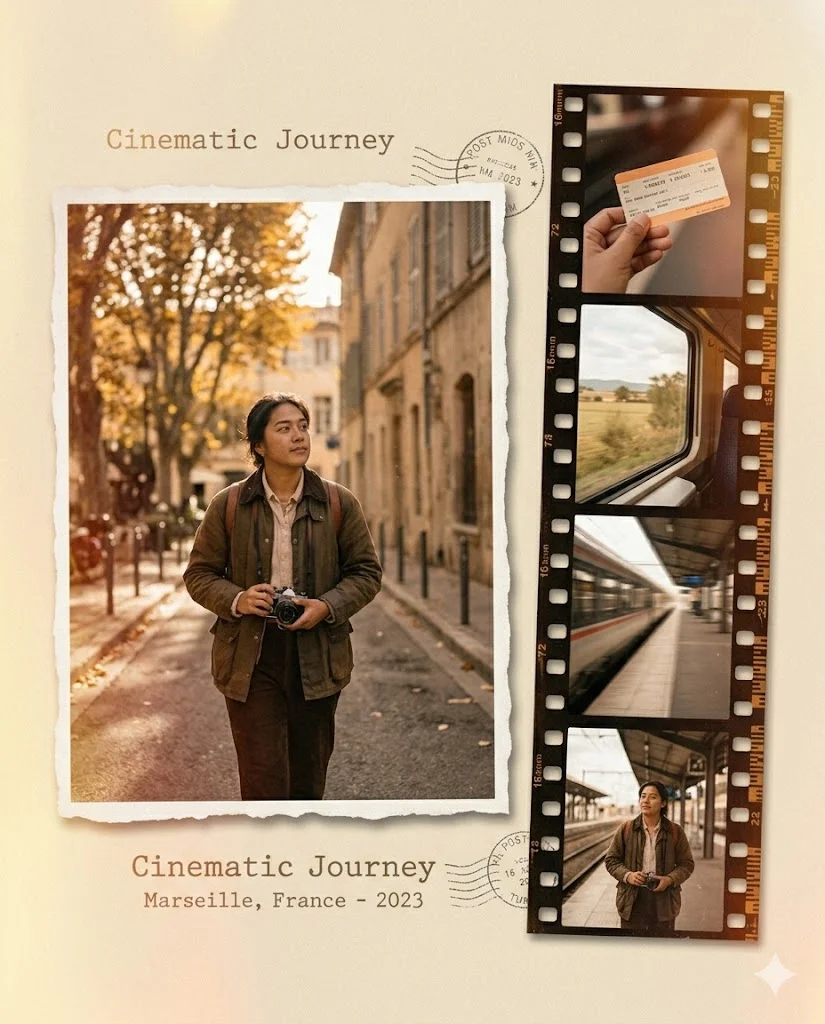
Create a cinematic collage using my uploaded photos featuring [MAIN SUBJECT]. Place one large image on the left and a vertical film strip of smaller sequential images on the right.

Use soft grain, subtle light leaks, and warm cinematic tones like amber, deep brown, and faded gold.

Add realistic paper texture with slight rough edges and matte finish. Include gentle shadows between frames for depth.

Avoid glossy effects, modern digital sharpness, or 3D rendering. Keep it nostalgic and storytelling-focused. Aspect ratio 4:5.
5. Polaroid Stack Memory Board
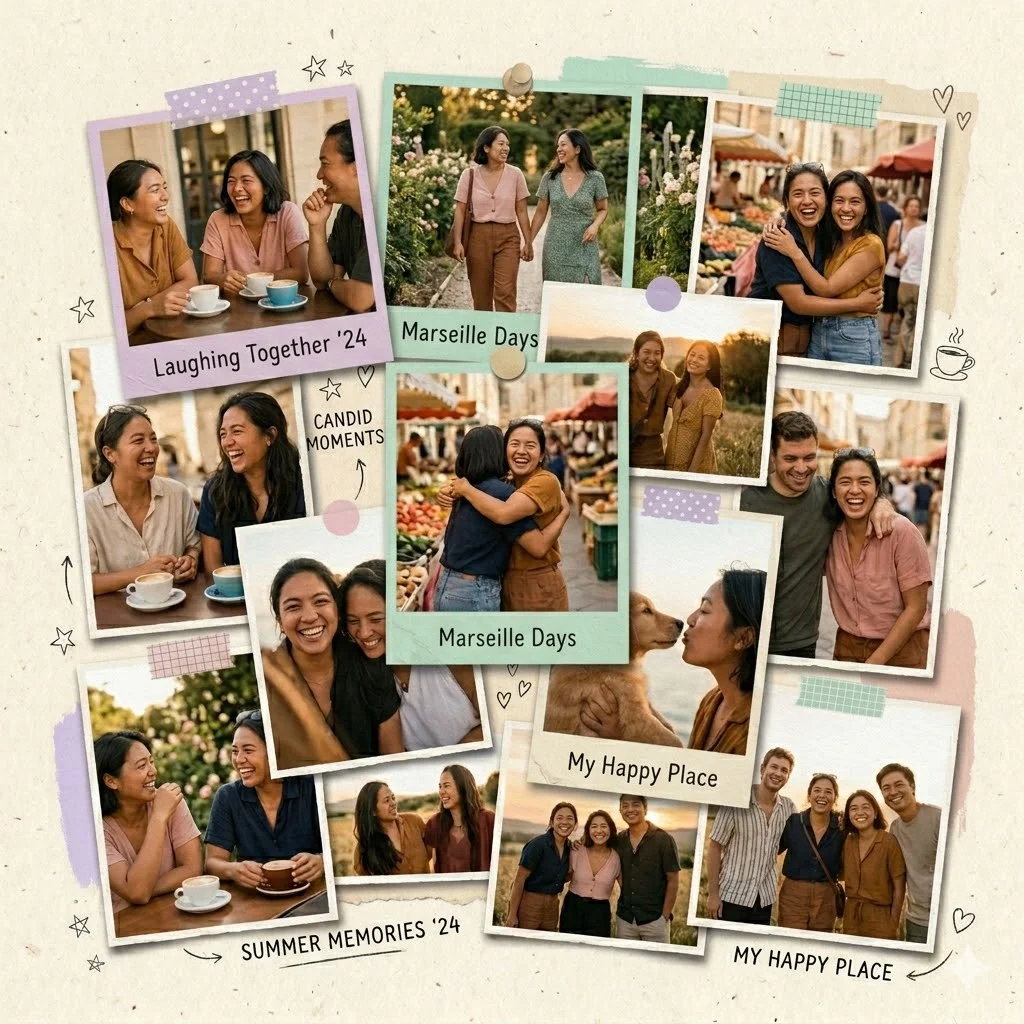
Create a collage using my uploaded photos arranged as stacked Polaroid-style prints. Slightly rotate each image for a natural scattered look.

Use soft pastel tones like lavender, mint, and cream. Add subtle paper texture, matte finish, and soft shadows under each photo.

Include tape pieces or pinboard-style elements for realism.

Avoid clean digital symmetry, gradients, or glossy surfaces. Keep it warm and memory-focused. Aspect ratio 1:1.
6. Bold Urban Street Collage
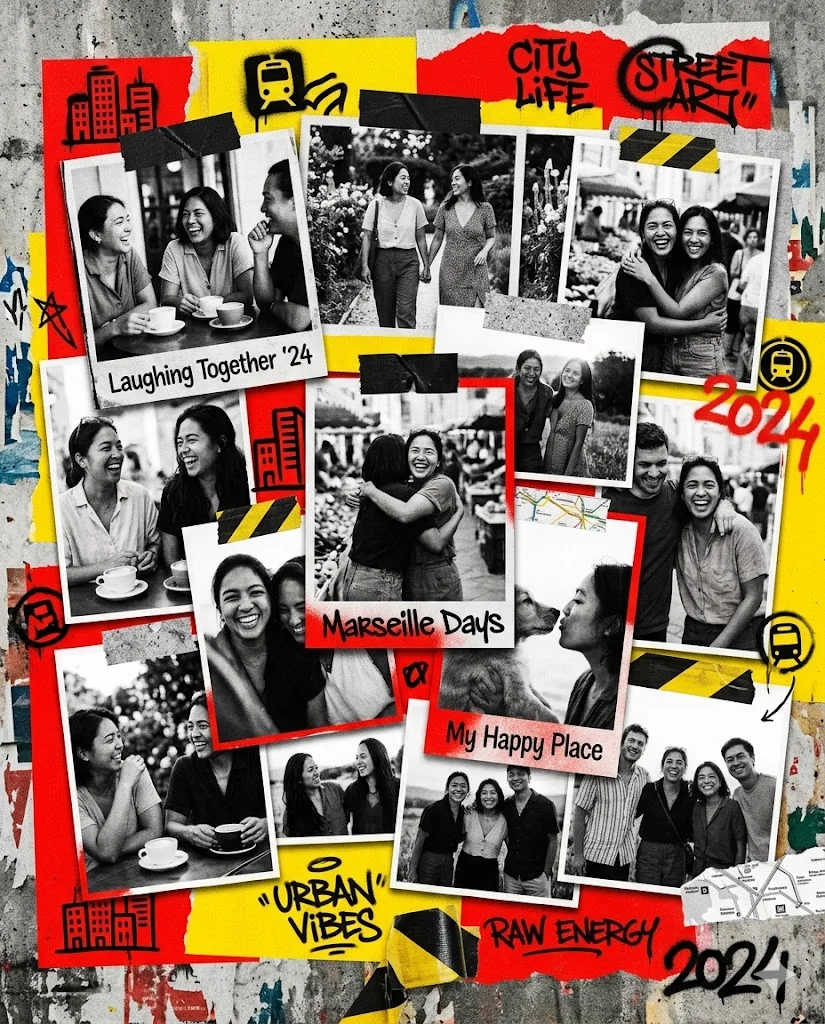
Create an urban-style collage using my uploaded photos featuring [MAIN SUBJECT]. Combine black-and-white photos with bold color blocks.

Use high-contrast colors like red, yellow, black, and white. Add rough paper textures, torn edges, and graffiti-style elements.

Layer images dynamically with strong overlaps and shadows.

Avoid smooth gradients or polished digital effects. Keep it raw, edgy, and street-art inspired. Aspect ratio 4:5.
7. Minimal Aesthetic Grid Collage
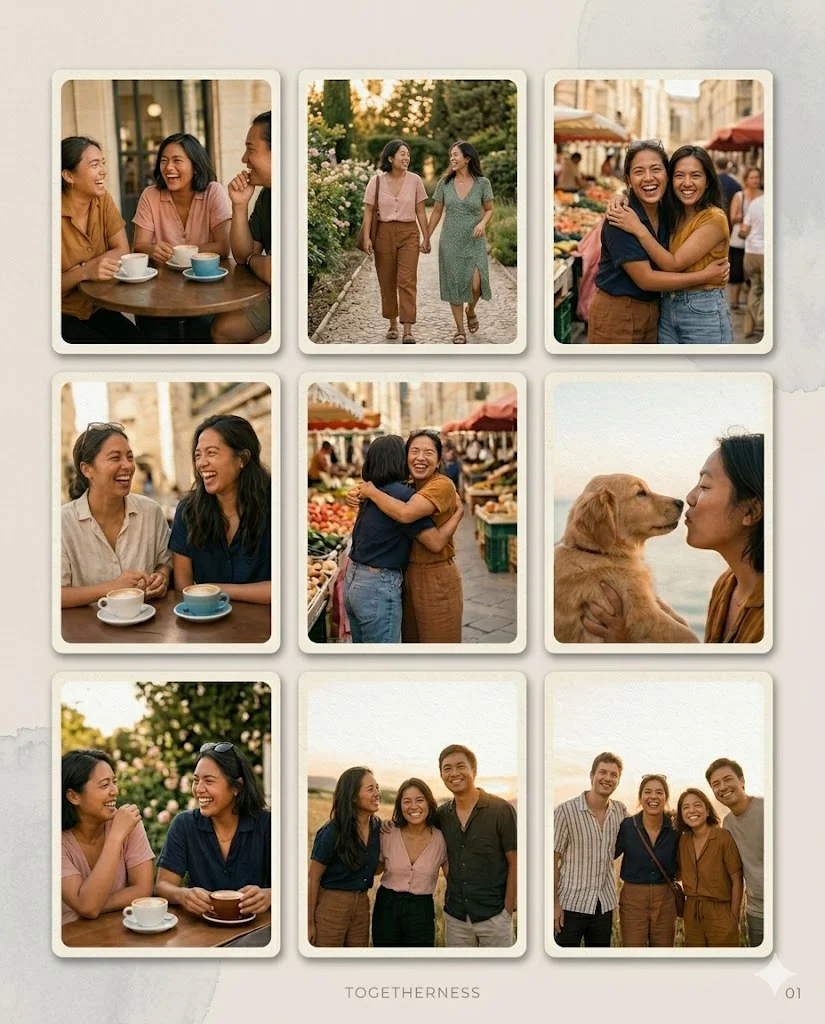
Create a clean and minimal collage using my uploaded photos arranged in a structured grid layout with equal spacing.

Use soft neutral tones like beige, off-white, and light gray. Add subtle paper grain and matte texture.

Apply soft shadows and rounded edges for elegance.

Avoid clutter, heavy textures, or strong color contrasts. Keep it calm, modern, and Instagram-ready. Aspect ratio 4:5.
8. Romantic Floral Scrapbook
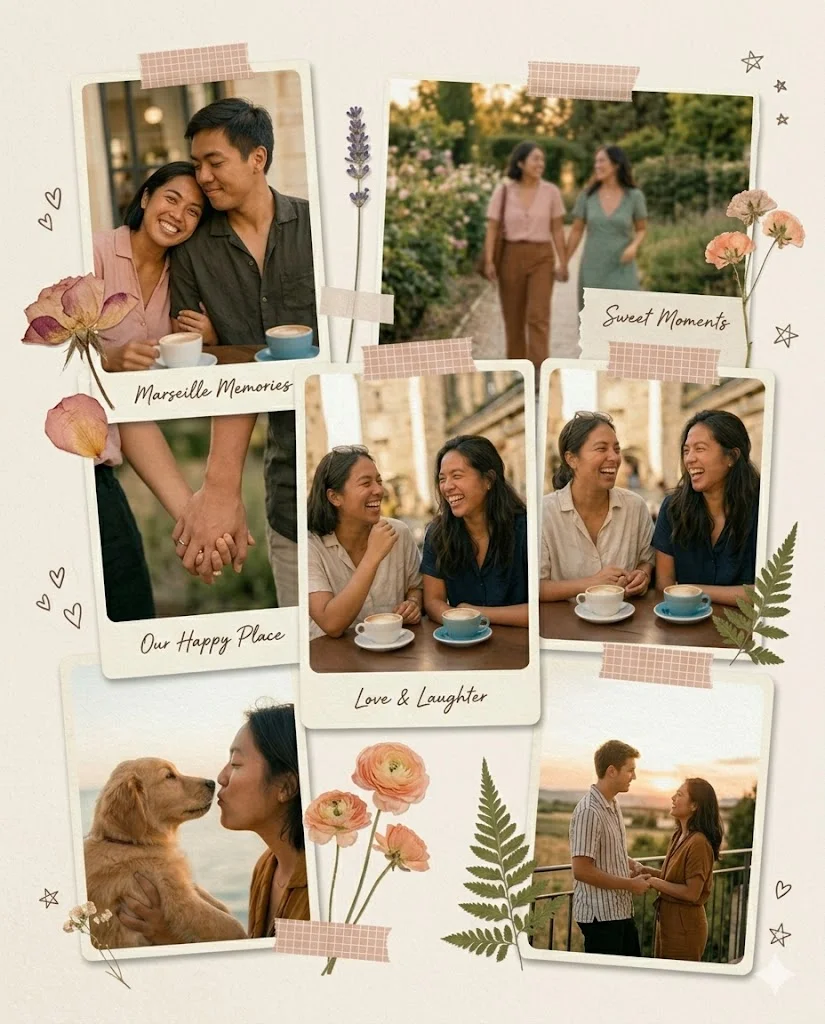
Create a romantic scrapbook collage using my uploaded photos featuring [MAIN SUBJECT]. Arrange images vertically with soft overlaps.

Use pastel tones like blush pink, cream, and soft peach. Add delicate floral elements and paper textures.

Include torn edges, light grain, and soft shadows for depth.

Avoid harsh contrast, sharp edges, or digital gloss. Keep it dreamy, soft, and emotional. Aspect ratio 4:5.
9. Retro Pop-Art Explosion
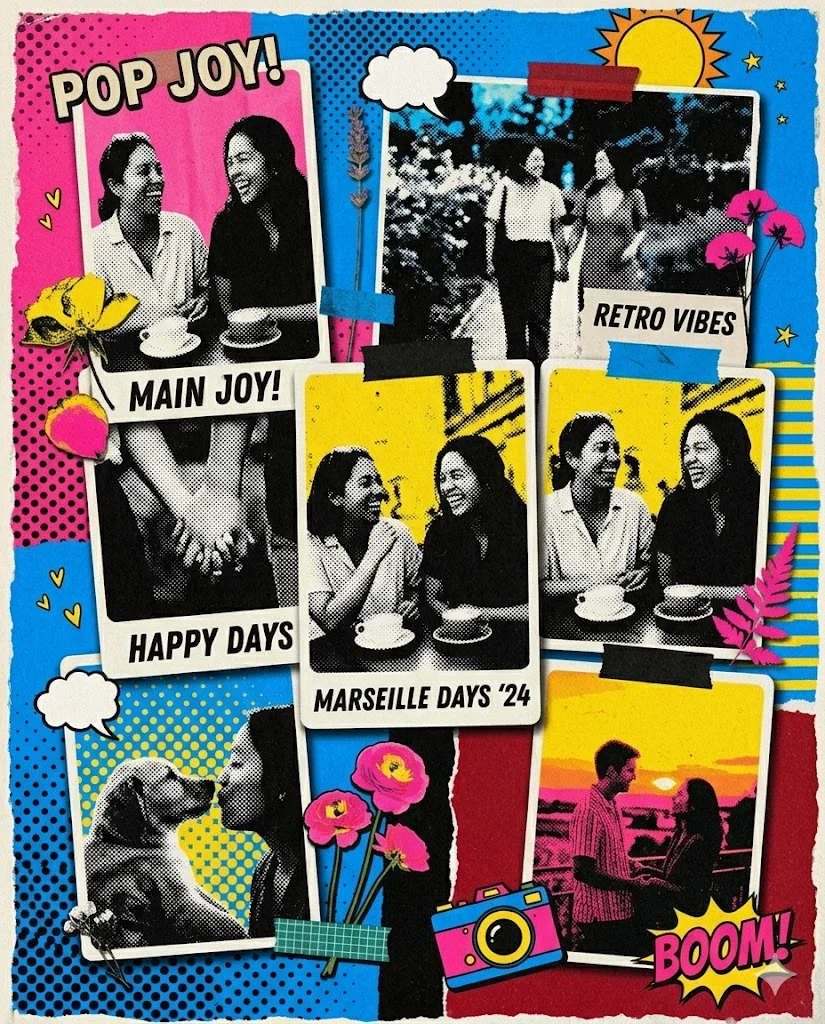
Create a bold retro pop-art collage using my uploaded photos featuring [MAIN SUBJECT].

Use torn paper layers with vibrant colors like hot pink, electric blue, yellow, and black. Include visible paper fibers and rough edges.

Arrange elements asymmetrically with strong overlaps and drop shadows.

Avoid smooth gradients, glossy finishes, or modern realism. Keep it loud, playful, and vintage-inspired. Aspect ratio 4:5.
10. Calm Minimal Lifestyle Story
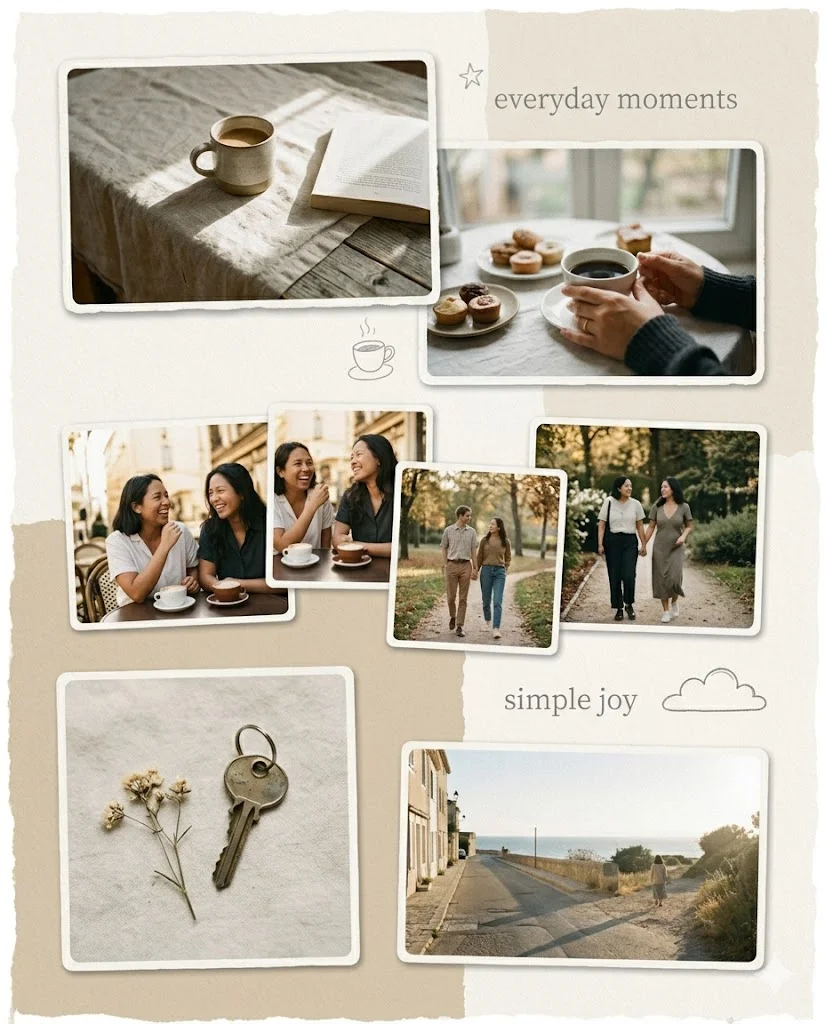
Create a calm lifestyle collage using my uploaded photos featuring everyday moments. Arrange images in a relaxed vertical flow with soft spacing.

Use muted tones like warm white, sand, and light brown. Add subtle paper textures and matte finish.

Include gentle shadows and minimal decorative elements.

Avoid bold colors, sharp contrast, or overly structured layouts. Keep it peaceful, natural, and soft. Aspect ratio 4:5.
Pro Tip:
Upload your photos once → try multiple prompts → pick the best style.
That’s the real power of Gemini.
Here’s the truth…
The template is just a starting point.
The real magic happens when you experiment:
- Try unexpected color palettes (neon + black & white)
- Mix contrasting subjects (vintage + modern)
- Combine different emotions in one collage
That’s how you create something unique.
Your photos already tell a story.
A collage just helps you tell it better.
So go ahead—open Google Gemini, upload your images, and start creating.
You might be surprised how quickly your simple photos turn into something truly artistic.